CPU Processors

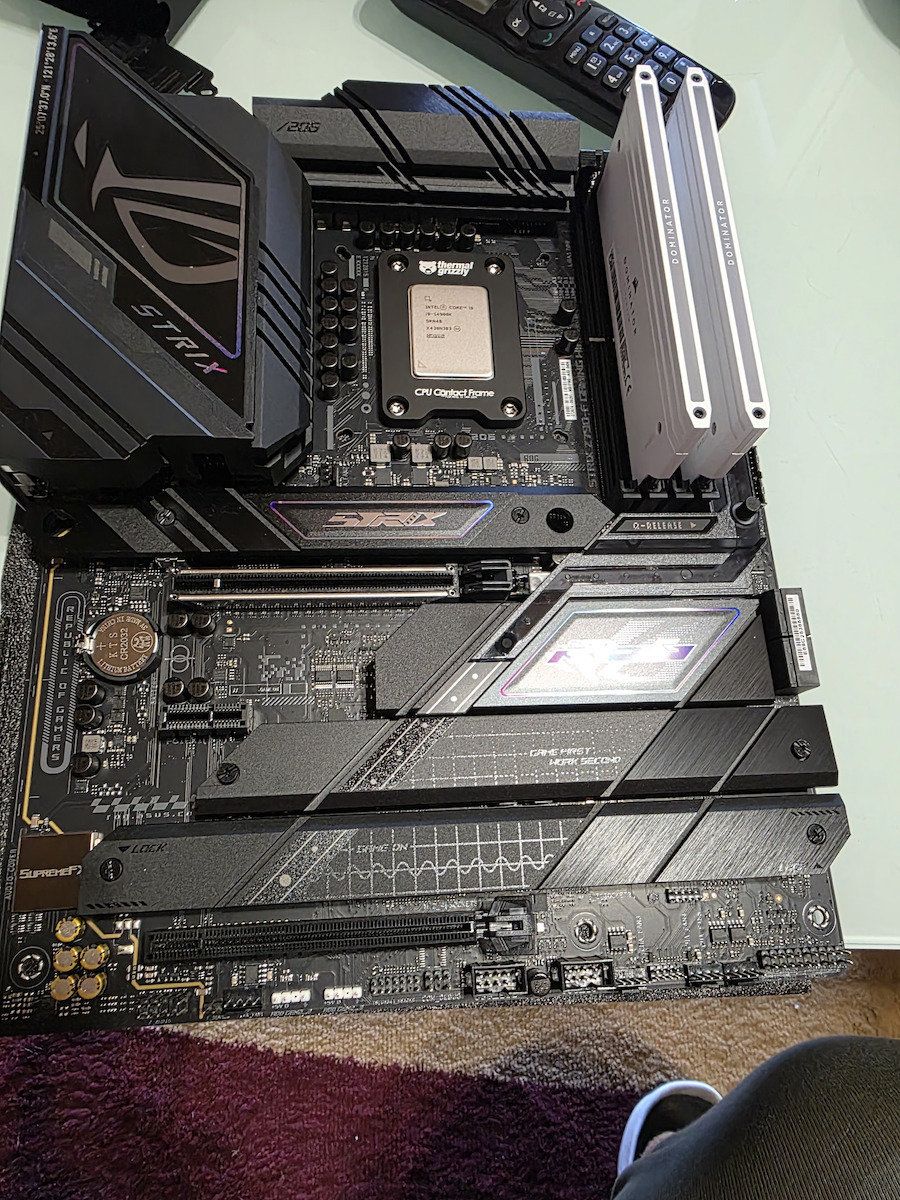
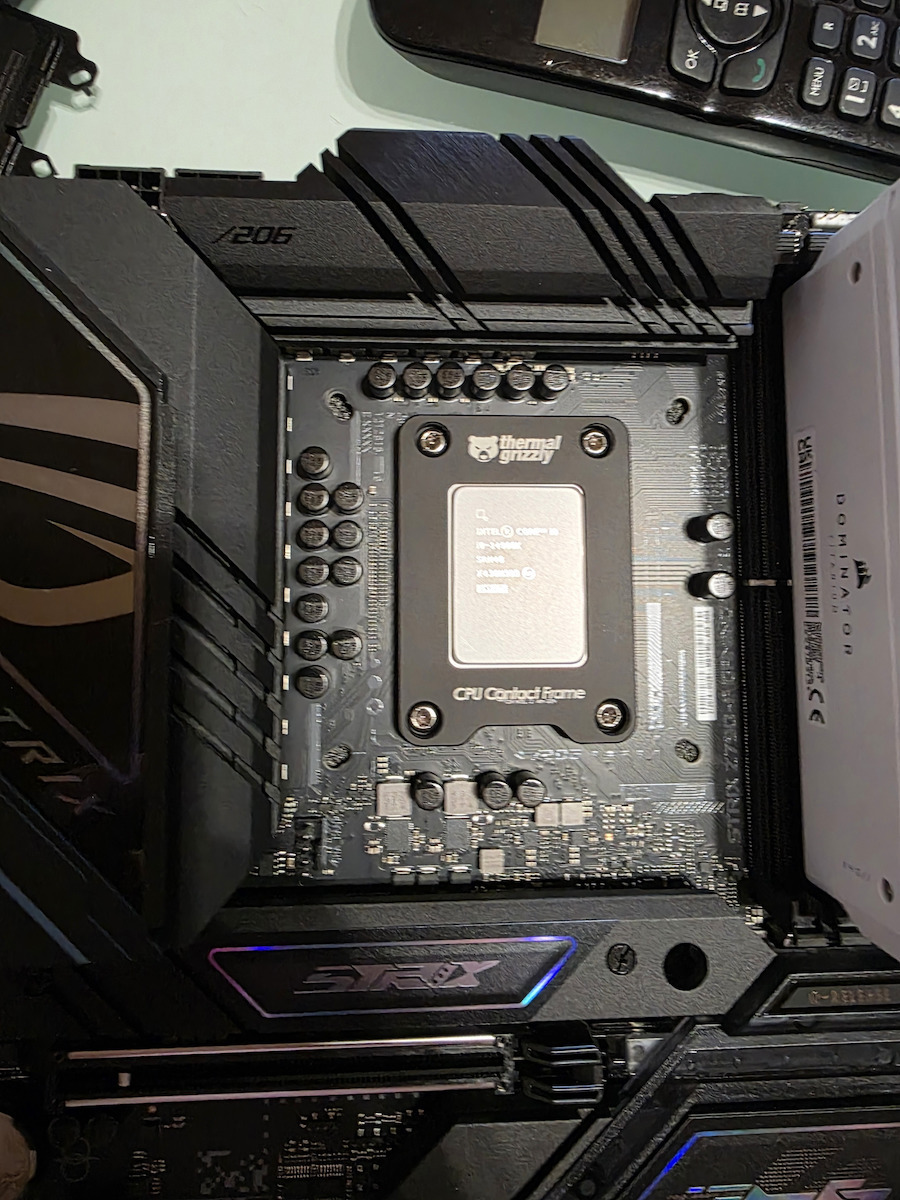
Intel Core i9-14900K 2.4GHz Processor 24 Core for Socket 1700 in Box

Key features:

  • Raptor Lake Microarchitecture
  • Threads 32
  • Maximum Frequency 6 GHz
  • Cache Memory 36 MB
  • Unlocked
  • Thermal Design Power (TDP) 125 W
See full description
  • See all

Description

Description

The Intel Core i9-14900K processor is mainly aimed at enthusiast users who want to take advantage of its raw performance for gaming and content creation. With some impressive technical features, the i9-14900K offers excellent performance in gaming and content production.

Specifically, the Core i9-14900K features 24 cores (32 threads), thus providing increased performance in multi-threaded applications. It also has higher operating frequencies, reaching up to 6 GHz with two or fewer active cores.

Comparison with the Previous Generation

The Raptor Lake (14th Gen) provides support for Thunderbolt 4 and Intel Wi-Fi 7 (5 Gig), compared to the Raptor Lake (13th Gen) with Intel Killer Wi-Fi 6/6E.

Intel's hybrid architecture is designed to leverage the most advanced technologies at the platform level, such as DDR5 memory type and PCIe Gen.5 standard. Thus, the specialized and integrated controllers in the processor offer support for DDR5 memory speeds up to 5,600MT/s and the PCIe Gen.5 standard (a total of 16x lanes PCIe 5.0 and 4x lanes PCIe 4.0 are supported).

Designed for the needs of today's gamers

The new optimized hybrid architecture and cutting-edge technology allow you to go beyond gaming and creation. From progress in gaming to progress in real life, Intel enables you to be your best self.

  • Performance-cores - Unleashes the capability to optimize the latest games and gaming software.
  • Efficient-cores - Provides multitasking power to work, play, and most importantly, play together.

Overclock with ease

Customize your performance to meet your exact needs with the Intel Extreme Tuning Utility.

Smarter Gaming

The expanded Intel Smart Cache sizes accelerate your processor for stable gameplay and higher, more consistent FPS.

Unleash Your Imagination

  • The hybrid performance architecture can easily run background streaming software while prioritizing gaming.
  • Intel Thread Director dynamically assigns tasks, so you can do it all without slowing down.

Manufacturer

See full description

Specifications

Specifications

Main Specifications

Year of Release
2023
Family
Core i9
Microarchitecture
Raptor Lake (14th Gen)
Socket
1700
Packaging
Box
Compatible Chipset
B660, B760, H610, H770, Q670, W680, Z690, Z790
Type
High Performance

Performance

Cores
24
Threads
32
Processor Frequency (Base Frequency)
2.4 GHz
Max Processor Frequency
6 GHz
Cache memory
36 MB
Unlocked
Yes
Thermal Design Power (TDP)
125 W

Features & Functions

Embedded Graphics
Intel UHD Graphics 770
Includes Heatsink
No

Important information

Specifications are collected from official manufacturer websites. Please verify the specifications before proceeding with your final purchase. If you notice any problem you can report it here.

See all specifications

Reviews (58)

Reviews

  1. 45
  2. 4
  3. 1
  4. 2
  5. 6
Review this product
  • Speed
  • Multitasking
  • Temperature
  • Value for money

Reviews photos

Reviews photos
Reviews photos
Reviews photos
Reviews photos
Reviews photos
Reviews photos

Reviews by our members

camperyb6
5
10 out of 13 members found this review helpful

Verified purchase

I won't lie, but the i9 14900k gave me quite a hard time until I searched and learned how to control this beast. The first thing you should do after getting this CPU is to update the BIOS to avoid the instability issue caused by wrong voltage values. Next, you will need a powerful liquid cooler like the Arctic Freezer III 360, which provides high cooling performance without noise. I would suggest running it at full speed or custom high RPM, which will keep it at 45-65°C (depending on the workload). Also, a case with strong and proper airflow is needed to refresh the hot air with cool air. If you play games, it would be good to always have an FPS lock, which will keep the game at your monitor's FPS (60-144-165-240 etc). If the CPU reaches 400+ FPS for no reason, it will start to heat up, which has led many users and streamers to blue screens—be careful with this. Also, if you think you don't have adequate cooling for the i9 14900k, it would be good to set a limit on PL1-PL2 at 200 watts, which will keep it at lower temperatures. My impression of the processor is positive, but as a high-end CPU (for creators—yes, the i9 14900k is for creators), it needs proper management!

Translated from Greek ·
  • Speed
  • Multitasking
  • Temperature
  • Value for money
Did you find this review helpful?

Alex_Hills
1
21 out of 40 members found this review helpful

Verified purchase

Well... If you don't do a BIOS update newer than 08/24, the processor destroys itself. It seems to be a known issue that I learned about 10 days ago. The only thing my computer does right now is blue screen.
Because it is a tray version, Intel does not provide a warranty.
The store where I bought it has closed.
And now I essentially have a piece of metal that cost me €600.
This problem, from what I've read, is present in many models of the 14th and 13th generation.

Translated from Greek ·
  • Speed
  • Multitasking
  • Temperature
  • Value for money
Did you find this review helpful?
  • George_Kanapitsas
    5
    3 out of 5 members found this review helpful

    Verified purchase

    This review is about the packaging: Tray

    Only with liquid cooling was I able to keep the temperatures at low levels; in idle state it is at 36 degrees and at full load 78 - 83 degrees, otherwise it runs everything very fast.

    Translated from Greek ·
    • Speed
    • Multitasking
    • Temperature
    • Value for money
    Did you find this review helpful?
  • Apostolos_Xatzi2499
    5
    5 out of 8 members found this review helpful

    The best Intel product available, it meets the needs of even the most demanding gamers and more. The only thing to watch out for is to get a good liquid cooler because the i9 is a hot boy. I would also recommend a contact frame to be on the safe side

    Translated from Greek ·
    Did you find this review helpful?
  • xkozakhs
    5
    18 out of 34 members found this review helpful

    I hear everyone talking about 7800x3D - 9800x3D - 9950.. blah blah.. that cost 650-850€, run and get the above ones, no problem and thank you very much because I got 14900k for 400€ due to a drop in demand which is the same whether you like it or not. That's it from me and happy searching.

    Translated from Greek ·
    • Speed
    • Multitasking
    • Temperature
    • Value for money
    Did you find this review helpful?
  • Tcp__Lxquidyt
    5
    11 out of 14 members found this review helpful

    Because I read a lot of bad reviews about the processor's temperature, I have one thing to say. Since the processor is really a beast with 24 cores and 32 logical processors, it will need very good water cooling. For example, I have a be quiet pure loop 2 fx and it controls it perfectly. In gaming, the processor reaches temperatures of 55-65 degrees, and in simple daily use, it doesn't even go above 35, with the clocks showing a steady 5GHz!

    Translated from Greek ·
    Did you find this review helpful?
  • Ben Melachrinos
    1
    9 out of 28 members found this review helpful

    Dont buy it . I spend 600 euro for a 100 celcius fest CPU. crashing in every game due to thermal throttling.
    My PC is a beast worth of 8k. I switched from a i9 12900k to this and spend my whole summer trying to solve the thermal issues via bios ,drivers ,settings etc , so far im not able to play any demanding games getting crashes every 20 mins, this is a joke im an owner of pretty much all i9 series since i was a kid . This is sad from every prespective READ what i am telling you here cuz you are going to remember me as a buyer later. ( 4/2/2025 ) even though intel "patched" the issues its still there.

    Did you find this review helpful?
  • Elpidoforos_Moysiadis
    5
    6 out of 10 members found this review helpful

    Simply perfect, everything they said about high temps I didn't see even once, and with the benchmarks I did, it never exceeded 69 degrees. Excellent in everything, only Intel

    Translated from Greek ·
    • Speed
    • Multitasking
    • Temperature
    • Value for money
    Did you find this review helpful?
  • JohnK16
    5
    9 out of 16 members found this review helpful

    Verified purchase

    Excellent processor, it can satisfactorily meet all the requirements of every user. However, caution is needed; the motherboard it will be installed on or is already on must definitely have a BIOS update with microcode 0X12B to ensure stability. Also, I would recommend combining it with a contact frame for better cooling and to avoid distortion of the IHS.

    Translated from Greek ·
    • Speed
    • Multitasking
    • Temperature
    • Value for money
    Did you find this review helpful?
  • NoseBlinderGR
    5
    19 out of 28 members found this review helpful

    I have had the processor for about 8 months now, and as for the high temps and blue screens some have experienced, I have to say that 80% of the time it's due to their motherboards and the lack of good and sufficient VRMs on the motherboard for heat management. We're talking about a beast of a processor that obviously requires the latest and high-end motherboards from every company. However, for the stability issue in the microcode, a solution was provided with a BIOS update for all motherboards since early August. In general, we are talking about a processor that doesn't back down from anything, whether in rendering or gaming, obviously for all enthusiasts.

    Translated from Greek ·
    Did you find this review helpful?
  • allex_975_gaming
    2
    22 out of 29 members found this review helpful

    Anyone who needs a 14900k I would suggest to wait. At this moment, the 13th and 14th gen CPUs from Intel have issues with microcode (many processors burned due to high temperatures). Until Intel fixes this problem, it's better not to take the risk and look towards an older CPU or one from AMD.

    Translated from Greek ·
    Did you find this review helpful?
  • alexis.flou
    4
    4 out of 16 members found this review helpful

    This processor is not aimed at gamers. It is aimed at people who need it for work and will utilize all the potential of this beast called i9. It doesn't hold back anywhere.
    I have installed a lian li galahad ii 360 trinity and its temperatures range from 30-50 at idle, while in cinebench multicore rendering it reached a maximum of 82-85 degrees with the fans running at 100%.

    Translated from Greek ·
    • Speed
    • Multitasking
    • Temperature
    • Value for money
    Did you find this review helpful?
  • nikos.ch5
    5
    14 out of 19 members found this review helpful

    Hello

    No need for words... light usage for games, mainly image and video editing, it simply does it quickly comfortably tirelessly it will prove you right

    On an ASUS ROG Z790-E Gaming wifi ii
    The only issue you need to be careful about is the AUTO settings in the BIOS
    They are not correct and you need to set temperature and watt limits
    because even with 3x 140mm liquid cooling with 6 noctua industrial fans it CANNOT maintain temperature unless the limits are set.

    Translated from Greek ·
    • Speed
    • Multitasking
    • Temperature
    • Value for money
    Did you find this review helpful?
  • Δημήτρης Νίκας
    5
    10 out of 16 members found this review helpful

    Verified purchase

    Very powerful in tasks. Used on a Z690 motherboard, it has relatively low temperatures. Combined with DDR5 memory in XMP Profile. I am quite satisfied.

    Translated from Greek ·
    • Speed
    • Multitasking
    • Temperature
    • Value for money
    Did you find this review helpful?
  • 5
    0 out of 2 members found this review helpful

    Verified purchase

    Very good processor, I would recommend buying a contact frame for lower temperatures

    Translated from Greek ·
    • Speed
    • Multitasking
    • Temperature
    • Value for money
    Did you find this review helpful?
  • 5
    2 out of 4 members found this review helpful

    Verified purchase

    So far, it's going great.

    Translated from Greek ·
    Did you find this review helpful?
  • 5
    2 out of 4 members found this review helpful

    Verified purchase

    Beast simply

    Translated from Greek ·
    • Speed
    • Multitasking
    • Temperature
    • Value for money
    Did you find this review helpful?
  • 5
    2 out of 5 members found this review helpful

    Verified purchase

    Powerful processor, elite in its category

    Translated from Greek ·
    Did you find this review helpful?
  • 1
    12 out of 14 members found this review helpful

    Stay away. I experience crashes/lags almost daily. The 13th/14th generations are defective

    Translated from Greek ·
    Did you find this review helpful?
  • Verified purchase

  • Verified purchase

  • Verified purchase

  • Verified purchase

    • Speed
    • Multitasking
    • Temperature
    • Value for money
  • Verified purchase

  • Only with liquid cooling was I able to keep the temperatures at low levels; in idle state it is at 36 degrees and at full load 78 - 83 degrees, otherwise it runs everything very fast.

    Translated from Greek ·
    3
  • The best Intel product available, it meets the needs of even the most demanding gamers and more. The only thing to watch out for is to get a good liquid cooler because the i9 is a hot boy. I would also recommend a contact frame to be on the safe side

    Translated from Greek ·
    5
  • I hear everyone talking about 7800x3D - 9800x3D - 9950.. blah blah.. that cost 650-850€, run and get the above ones, no problem and thank you very much because I got 14900k for 400€ due to a drop in demand which is the same whether you like it or not. That's it from me and happy searching.

    Translated from Greek ·
    18
  • Because I read a lot of bad reviews about the processor's temperature, I have one thing to say. Since the processor is really a beast with 24 cores and 32 logical processors, it will need very good water cooling. For example, I have a be quiet pure loop 2 fx and it controls it perfectly. In gaming, the processor reaches temperatures of 55-65 degrees, and in simple daily use, it doesn't even go above 35, with the clocks showing a steady 5GHz!

    Translated from Greek ·
    11
  • Dont buy it . I spend 600 euro for a 100 celcius fest CPU. crashing in every game due to thermal throttling.
    My PC is a beast worth of 8k. I switched from a i9 12900k to this and spend my whole summer trying to solve the thermal issues via bios ,drivers ,settings etc , so far im not able to play any demanding games getting crashes every 20 mins, this is a joke im an owner of pretty much all i9 series since i was a kid . This is sad from every prespective READ what i am telling you here cuz you are going to remember me as a buyer later. ( 4/2/2025 ) even though intel "patched" the issues its still there.

    9
  • See all

Description & Specifications

The Intel Core i9-14900K processor is mainly aimed at enthusiast users who want to take advantage of its raw performance for gaming and content creation. With some impressive technical features, the i9-14900K offers excellent performance in gaming and content production.

Specifically, the Core i9-14900K features 24 cores (32 threads), thus providing increased performance in multi-threaded applications. It also has higher operating frequencies, reaching up to 6 GHz with two or fewer active cores.

Comparison with the Previous Generation

The Raptor Lake (14th Gen) provides support for Thunderbolt 4 and Intel Wi-Fi 7 (5 Gig), compared to the Raptor Lake (13th Gen) with Intel Killer Wi-Fi 6/6E.

Intel's hybrid architecture is designed to leverage the most advanced technologies at the platform level, such as DDR5 memory type and PCIe Gen.5 standard. Thus, the specialized and integrated controllers in the processor offer support for DDR5 memory speeds up to 5,600MT/s and the PCIe Gen.5 standard (a total of 16x lanes PCIe 5.0 and 4x lanes PCIe 4.0 are supported).

Designed for the needs of today's gamers

The new optimized hybrid architecture and cutting-edge technology allow you to go beyond gaming and creation. From progress in gaming to progress in real life, Intel enables you to be your best self.

  • Performance-cores - Unleashes the capability to optimize the latest games and gaming software.
  • Efficient-cores - Provides multitasking power to work, play, and most importantly, play together.

Overclock with ease

Customize your performance to meet your exact needs with the Intel Extreme Tuning Utility.

Smarter Gaming

The expanded Intel Smart Cache sizes accelerate your processor for stable gameplay and higher, more consistent FPS.

Unleash Your Imagination

  • The hybrid performance architecture can easily run background streaming software while prioritizing gaming.
  • Intel Thread Director dynamically assigns tasks, so you can do it all without slowing down.

Manufacturer

Main Specifications

Year of Release
2023
Family
Core i9
Microarchitecture
Raptor Lake (14th Gen)
Socket
1700
Packaging
Box
Compatible Chipset
B660, B760, H610, H770, Q670, W680, Z690, Z790
Type
High Performance

Performance

Cores
24
Threads
32
Processor Frequency (Base Frequency)
2.4 GHz
Max Processor Frequency
6 GHz
Cache memory
36 MB
Unlocked
Yes
Thermal Design Power (TDP)
125 W

Features & Functions

Embedded Graphics
Intel UHD Graphics 770
Includes Heatsink
No

Important information

Specifications are collected from official manufacturer websites. Please verify the specifications before proceeding with your final purchase. If you notice any problem you can report it here.

Reviews (58)

  1. 45
  2. 4
  3. 1
  4. 2
  5. 6
Review this product
  • Speed
  • Multitasking
  • Temperature
  • Value for money

Reviews photos

Reviews photos
Reviews photos
Reviews photos
Reviews photos
Reviews photos
Reviews photos

Reviews by our members

camperyb6
5
10 out of 13 members found this review helpful

Verified purchase

I won't lie, but the i9 14900k gave me quite a hard time until I searched and learned how to control this beast. The first thing you should do after getting this CPU is to update the BIOS to avoid the instability issue caused by wrong voltage values. Next, you will need a powerful liquid cooler like the Arctic Freezer III 360, which provides high cooling performance without noise. I would suggest running it at full speed or custom high RPM, which will keep it at 45-65°C (depending on the workload). Also, a case with strong and proper airflow is needed to refresh the hot air with cool air. If you play games, it would be good to always have an FPS lock, which will keep the game at your monitor's FPS (60-144-165-240 etc). If the CPU reaches 400+ FPS for no reason, it will start to heat up, which has led many users and streamers to blue screens—be careful with this. Also, if you think you don't have adequate cooling for the i9 14900k, it would be good to set a limit on PL1-PL2 at 200 watts, which will keep it at lower temperatures. My impression of the processor is positive, but as a high-end CPU (for creators—yes, the i9 14900k is for creators), it needs proper management!

Translated from Greek ·
  • Speed
  • Multitasking
  • Temperature
  • Value for money
Did you find this review helpful?

Alex_Hills
1
21 out of 40 members found this review helpful

Verified purchase

Well... If you don't do a BIOS update newer than 08/24, the processor destroys itself. It seems to be a known issue that I learned about 10 days ago. The only thing my computer does right now is blue screen.
Because it is a tray version, Intel does not provide a warranty.
The store where I bought it has closed.
And now I essentially have a piece of metal that cost me €600.
This problem, from what I've read, is present in many models of the 14th and 13th generation.

Translated from Greek ·
  • Speed
  • Multitasking
  • Temperature
  • Value for money
Did you find this review helpful?
  • George_Kanapitsas
    5
    3 out of 5 members found this review helpful

    Verified purchase

    This review is about the packaging: Tray

    Only with liquid cooling was I able to keep the temperatures at low levels; in idle state it is at 36 degrees and at full load 78 - 83 degrees, otherwise it runs everything very fast.

    Translated from Greek ·
    • Speed
    • Multitasking
    • Temperature
    • Value for money
    Did you find this review helpful?
  • Apostolos_Xatzi2499
    5
    5 out of 8 members found this review helpful

    The best Intel product available, it meets the needs of even the most demanding gamers and more. The only thing to watch out for is to get a good liquid cooler because the i9 is a hot boy. I would also recommend a contact frame to be on the safe side

    Translated from Greek ·
    Did you find this review helpful?
  • xkozakhs
    5
    18 out of 34 members found this review helpful

    I hear everyone talking about 7800x3D - 9800x3D - 9950.. blah blah.. that cost 650-850€, run and get the above ones, no problem and thank you very much because I got 14900k for 400€ due to a drop in demand which is the same whether you like it or not. That's it from me and happy searching.

    Translated from Greek ·
    • Speed
    • Multitasking
    • Temperature
    • Value for money
    Did you find this review helpful?
  • Tcp__Lxquidyt
    5
    11 out of 14 members found this review helpful

    Because I read a lot of bad reviews about the processor's temperature, I have one thing to say. Since the processor is really a beast with 24 cores and 32 logical processors, it will need very good water cooling. For example, I have a be quiet pure loop 2 fx and it controls it perfectly. In gaming, the processor reaches temperatures of 55-65 degrees, and in simple daily use, it doesn't even go above 35, with the clocks showing a steady 5GHz!

    Translated from Greek ·
    Did you find this review helpful?
  • Ben Melachrinos
    1
    9 out of 28 members found this review helpful

    Dont buy it . I spend 600 euro for a 100 celcius fest CPU. crashing in every game due to thermal throttling.
    My PC is a beast worth of 8k. I switched from a i9 12900k to this and spend my whole summer trying to solve the thermal issues via bios ,drivers ,settings etc , so far im not able to play any demanding games getting crashes every 20 mins, this is a joke im an owner of pretty much all i9 series since i was a kid . This is sad from every prespective READ what i am telling you here cuz you are going to remember me as a buyer later. ( 4/2/2025 ) even though intel "patched" the issues its still there.

    Did you find this review helpful?
  • Elpidoforos_Moysiadis
    5
    6 out of 10 members found this review helpful

    Simply perfect, everything they said about high temps I didn't see even once, and with the benchmarks I did, it never exceeded 69 degrees. Excellent in everything, only Intel

    Translated from Greek ·
    • Speed
    • Multitasking
    • Temperature
    • Value for money
    Did you find this review helpful?
  • JohnK16
    5
    9 out of 16 members found this review helpful

    Verified purchase

    Excellent processor, it can satisfactorily meet all the requirements of every user. However, caution is needed; the motherboard it will be installed on or is already on must definitely have a BIOS update with microcode 0X12B to ensure stability. Also, I would recommend combining it with a contact frame for better cooling and to avoid distortion of the IHS.

    Translated from Greek ·
    • Speed
    • Multitasking
    • Temperature
    • Value for money
    Did you find this review helpful?
  • NoseBlinderGR
    5
    19 out of 28 members found this review helpful

    I have had the processor for about 8 months now, and as for the high temps and blue screens some have experienced, I have to say that 80% of the time it's due to their motherboards and the lack of good and sufficient VRMs on the motherboard for heat management. We're talking about a beast of a processor that obviously requires the latest and high-end motherboards from every company. However, for the stability issue in the microcode, a solution was provided with a BIOS update for all motherboards since early August. In general, we are talking about a processor that doesn't back down from anything, whether in rendering or gaming, obviously for all enthusiasts.

    Translated from Greek ·
    Did you find this review helpful?
  • allex_975_gaming
    2
    22 out of 29 members found this review helpful

    Anyone who needs a 14900k I would suggest to wait. At this moment, the 13th and 14th gen CPUs from Intel have issues with microcode (many processors burned due to high temperatures). Until Intel fixes this problem, it's better not to take the risk and look towards an older CPU or one from AMD.

    Translated from Greek ·
    Did you find this review helpful?
  • alexis.flou
    4
    4 out of 16 members found this review helpful

    This processor is not aimed at gamers. It is aimed at people who need it for work and will utilize all the potential of this beast called i9. It doesn't hold back anywhere.
    I have installed a lian li galahad ii 360 trinity and its temperatures range from 30-50 at idle, while in cinebench multicore rendering it reached a maximum of 82-85 degrees with the fans running at 100%.

    Translated from Greek ·
    • Speed
    • Multitasking
    • Temperature
    • Value for money
    Did you find this review helpful?
  • nikos.ch5
    5
    14 out of 19 members found this review helpful

    Hello

    No need for words... light usage for games, mainly image and video editing, it simply does it quickly comfortably tirelessly it will prove you right

    On an ASUS ROG Z790-E Gaming wifi ii
    The only issue you need to be careful about is the AUTO settings in the BIOS
    They are not correct and you need to set temperature and watt limits
    because even with 3x 140mm liquid cooling with 6 noctua industrial fans it CANNOT maintain temperature unless the limits are set.

    Translated from Greek ·
    • Speed
    • Multitasking
    • Temperature
    • Value for money
    Did you find this review helpful?
  • Δημήτρης Νίκας
    5
    10 out of 16 members found this review helpful

    Verified purchase

    Very powerful in tasks. Used on a Z690 motherboard, it has relatively low temperatures. Combined with DDR5 memory in XMP Profile. I am quite satisfied.

    Translated from Greek ·
    • Speed
    • Multitasking
    • Temperature
    • Value for money
    Did you find this review helpful?
  • 5
    0 out of 2 members found this review helpful

    Verified purchase

    Very good processor, I would recommend buying a contact frame for lower temperatures

    Translated from Greek ·
    • Speed
    • Multitasking
    • Temperature
    • Value for money
    Did you find this review helpful?
  • 5
    2 out of 4 members found this review helpful

    Verified purchase

    So far, it's going great.

    Translated from Greek ·
    Did you find this review helpful?
  • 5
    2 out of 4 members found this review helpful

    Verified purchase

    Beast simply

    Translated from Greek ·
    • Speed
    • Multitasking
    • Temperature
    • Value for money
    Did you find this review helpful?
  • 5
    2 out of 5 members found this review helpful

    Verified purchase

    Powerful processor, elite in its category

    Translated from Greek ·
    Did you find this review helpful?
  • 1
    12 out of 14 members found this review helpful

    Stay away. I experience crashes/lags almost daily. The 13th/14th generations are defective

    Translated from Greek ·
    Did you find this review helpful?
  • Verified purchase

  • Verified purchase

  • Verified purchase

  • Verified purchase

    • Speed
    • Multitasking
    • Temperature
    • Value for money
  • Verified purchase

  • Only with liquid cooling was I able to keep the temperatures at low levels; in idle state it is at 36 degrees and at full load 78 - 83 degrees, otherwise it runs everything very fast.

    Translated from Greek ·
    3
  • The best Intel product available, it meets the needs of even the most demanding gamers and more. The only thing to watch out for is to get a good liquid cooler because the i9 is a hot boy. I would also recommend a contact frame to be on the safe side

    Translated from Greek ·
    5
  • I hear everyone talking about 7800x3D - 9800x3D - 9950.. blah blah.. that cost 650-850€, run and get the above ones, no problem and thank you very much because I got 14900k for 400€ due to a drop in demand which is the same whether you like it or not. That's it from me and happy searching.

    Translated from Greek ·
    18
  • Because I read a lot of bad reviews about the processor's temperature, I have one thing to say. Since the processor is really a beast with 24 cores and 32 logical processors, it will need very good water cooling. For example, I have a be quiet pure loop 2 fx and it controls it perfectly. In gaming, the processor reaches temperatures of 55-65 degrees, and in simple daily use, it doesn't even go above 35, with the clocks showing a steady 5GHz!

    Translated from Greek ·
    11
  • Dont buy it . I spend 600 euro for a 100 celcius fest CPU. crashing in every game due to thermal throttling.
    My PC is a beast worth of 8k. I switched from a i9 12900k to this and spend my whole summer trying to solve the thermal issues via bios ,drivers ,settings etc , so far im not able to play any demanding games getting crashes every 20 mins, this is a joke im an owner of pretty much all i9 series since i was a kid . This is sad from every prespective READ what i am telling you here cuz you are going to remember me as a buyer later. ( 4/2/2025 ) even though intel "patched" the issues its still there.

    9
  • See all
469,90 €
14,00 €   shipping cost