


- Top User Rated


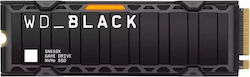
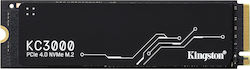
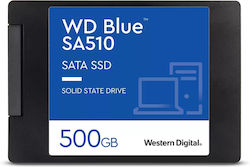
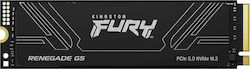

- Top Seller
- Top Seller
- Top Seller
Offers and Price DropsView more

Filters
- The amount of information that can be stored on the hard drive. Indicatively, a 1TB hard drive can hold approximately 250,000 photos taken with a 12MP camera or 250 movies.
- 120GB to 128GB: Ideal only for basic office use. It can fit the operating system (Windows) and simple applications (Word, Excel, Chrome), with no space at all for large files or games.
- 240GB to 256GB: Ideal for student or family laptops. Fits Windows, all necessary programs, and offers basic space for photos, documents, and 1-2 light games.
- 500GB to 512GB: The "golden mean" for the average user. Ideal for comfortable everyday use, storing many movies/photos, and installing several modern games.
- 1TB: The most popular choice for gamers and professionals. Easily fits many "heavy" next-generation games, large programs (Photoshop, Premiere), and thousands of files.
- 2TB: Ideal for demanding users, content creators (Youtubers/Creators) who manage large 4K video files, or gamers with huge digital libraries.
- 3TB and above: Professional capacity. Suitable for photographers, editors, servers, or streamers who need a huge data archive and never want to delete anything.
- 120GB to 128GB 51
- 240GB to 256GB 155
- 480GB 68
- 500GB to 512GB 151
- 960GB 53
- 1TB 222
- 1.92TB 43
- 2TB 205
- 3TB and above 142
- M.2: The most common size for SSDs. Supports both SATA and NVMe protocols, offering high data transfer speeds in a compact size (requires a compatible motherboard).
- 2.5'': The most common type of SSD, designed for desktops and laptops. They support SATA interface and offer compatibility with a wide range of devices.
- 3.5'': They are primarily designed for use in desktop computers and servers. They offer high capacity and reliability, making them ideal for demanding data storage applications.
- mSATA: Smaller type of SSD mainly used in ultraportable computers and IoT devices. It offers good performance in a compact size but has limited capacity compared to M.2 SSDs.


- NVMe: Communication protocol that enhances the performance and speed of SSDs.
- DRAM: Independent, fast memory that ensures high and consistent speeds, especially when the drive fills up.
- Heatsink: The SSD is equipped with a heatsink to maintain low temperatures, ensuring better performance and more efficient heat dissipation in the SSD.
- PCI Express 3.0: Allows communication between the SSD and the computer and offers speeds up to 32 GB/s.
- PCI Express 4.0: Allows communication between the SSD and the computer and offers double the speed compared to PCIe 3.0 at 64 GB/s, enabling much faster data transfer.
- PCI Express 5.0: Allows communication between the SSD and the computer and offers double the speed compared to PCIe 4.0, reaching 128 GB/s, supporting even faster SSDs and demanding applications.
- SAS 3.0: Allows communication between the SSD and the computer and offers speeds up to 12 Gbps. It is mainly used in enterprise storage systems due to its reliability and ability to handle multiple devices.
- SATA III: Allows communication between the SSD and the computer, offering speeds up to 6 Gbps, and is mainly used for general purposes.
- PlayStation 5: SSD units suitable for upgrading the storage capacity on PlayStation 5.
- 2280: The absolute market standard (80 mm), compatible with most computer motherboards and modern laptops.
- 2242: A fairly short drive (42 mm), mainly used in certain thin laptops and small tablets.
- 2230: The smallest size (30 mm), essential for portable consoles (e.g., Steam Deck, ROG Ally) and ultra-thin laptops.
- 2260: Intermediate size (60 mm), now rarely used, mainly compatible with older laptops.
- 22110: Extra-long drive (110 mm), designed almost exclusively for servers, NAS, and professional systems (workstations).